Server FQDN
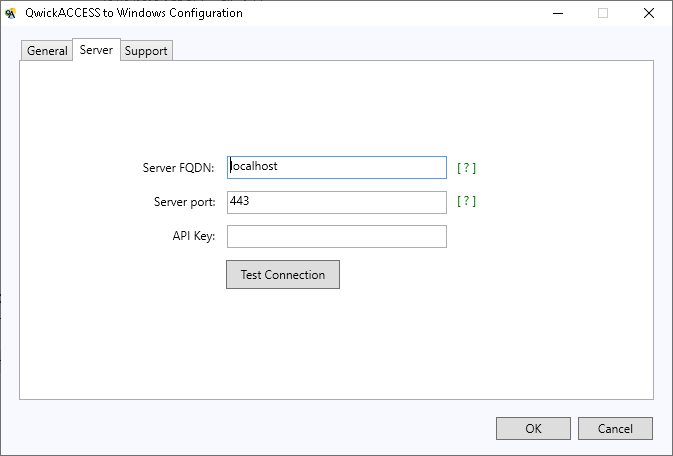
Enter the Fully Qualified Domain Name (FQDN) of the Lynx server.
Server port
Port 443 is the default port used for communication between the client system and the Lynx server.
NOTE
If the Lynx server has been configured to use a different port from 443, enter the correct port number here.
API Key
Enter the API Key configured for communication with the Lynx server.
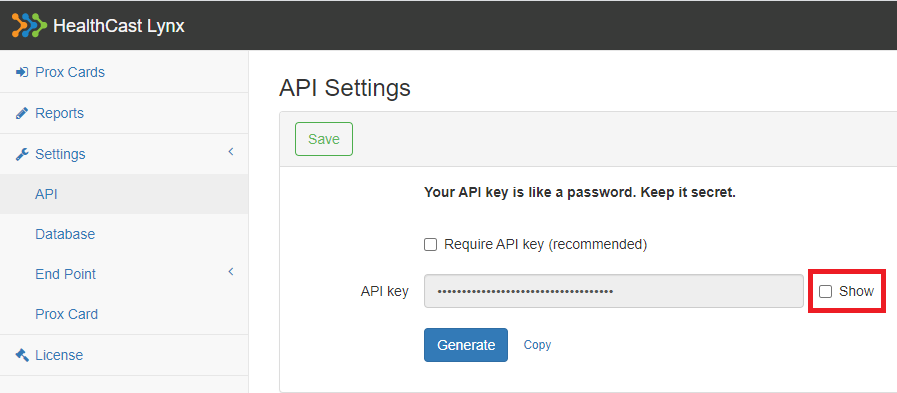
Finding the API Key:
- Log into the LYNX administration portal.
- On the left-hand side, click Settings > API.
- In the main window, check the Show checkbox.
Testing Server Connection
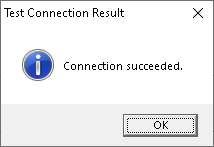
After entering the three values, click the Test Connection button to verify connectivity between the client system and the Lynx server. If your settings have been entered correctly, you will receive a "Connection Succeeded" confirmation.