
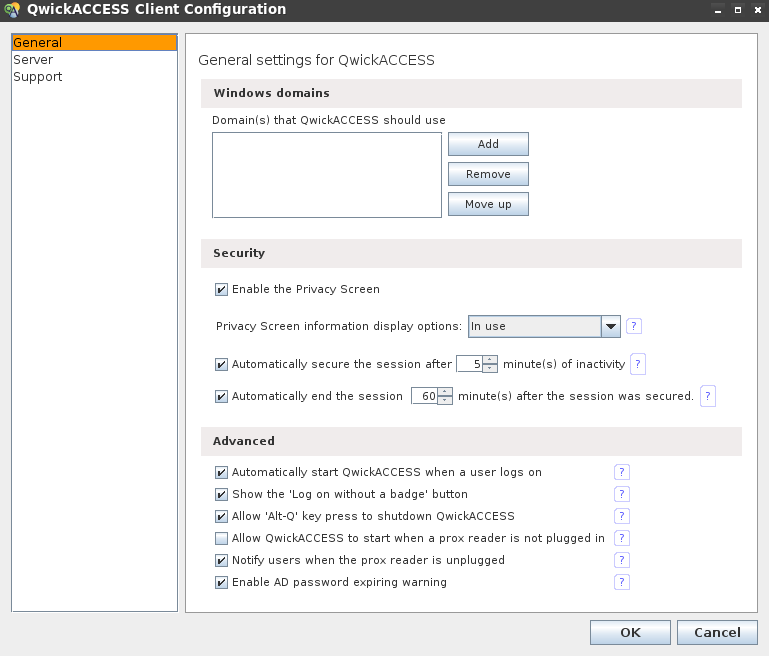
Windows Domains
A valid domain must be set for user authentication and security purposes.
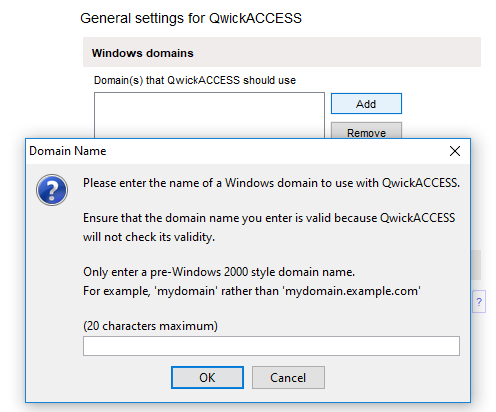
Add a Windows domain
- Click the Add button.
- In the Domain Name pop-up, enter your domain. Only specify a pre-Windows 2000 style domain name.
- Example: Use MYDOMAIN instead of MYDOMAIN.EXAMPLE.COM
- Click OK. Your domain name should now be added to the domain list.
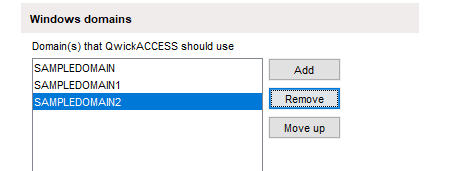
Remove Domain From List
- Select the domain name you wish to remove.
- Click Remove to delete the domain name from the list.
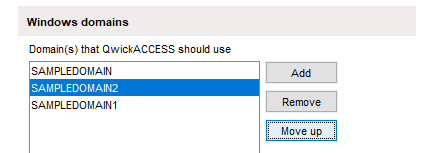
Change Domain Name Display Order
- Select the domain name you wish to move.
- Click Move up. The selected domain name will be moved up one position in the list.
Security
The Security section of the General tab allows you to set the security options that are appropriate for your environment. Please see the Security settings page for details.
Advanced
The Advanced section of the General tab allows you to set the advanced options that are appropriate for your environment. Please see the Advanced settings page for details.