
-
Log-in as a Local Administrator to the workstation you would like to make changes on.
- Note: The Client Configuration tool will only run under an account with Local Administrator privileges.
-
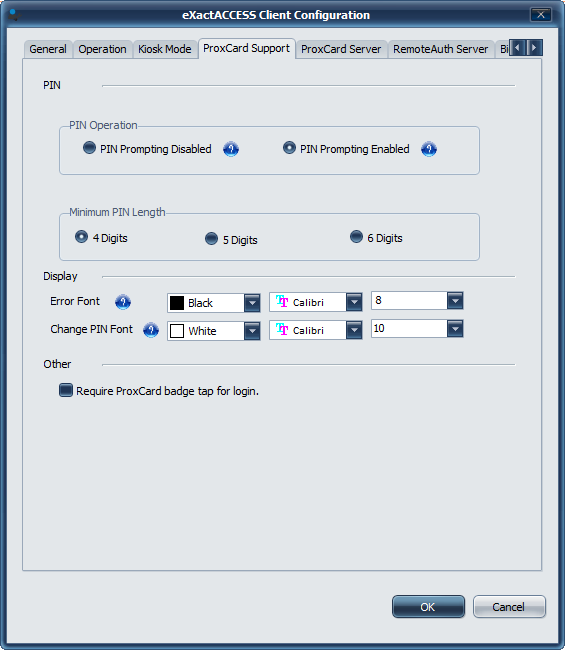
Open the Client Configuration tool and go to the ProxCard Support tab.
-
Under the PIN Operation section, use the radio buttons select to either enable or disable prompting for PIN during authentication.
-
Use the radio buttons to set the minimum PIN length a user must enter during enrollment.
-
Click OK.
-
The PIN functionality is now set and will take effect without a reboot.
Registry Values
Registry Path
HKLM\Software\HealthCast\ProxCardClient\PIN
Values
| Value Name | Type | Available Values | Function |
|---|---|---|---|
| AllowPinEnrollment | DWORD | 1 0 |
Enables PIN Disables PIN |
| MinPinLength | DWORD | 4 5 6 |
Conrols minimum PIN length |
| PinPromptInMinutes | DWORD | 0x000000 0xffffff |
Enabled Disabled |